
TL;DR

Turn your quiet moments into listening time
- Thousands of audiobooks, podcasts and originals
- Listen on your phone, tablet or Echo — also offline
- Cancel anytime
This article shows how to turn one source video into a full publishing kit—metadata, clips, descriptions, and social posts—without using the cloud. It’s a local-first system that keeps your content private while automating most of the heavy lifting.
Imagine finishing a video and instantly having everything you need to publish: catchy titles, social snippets, blog drafts, and even thumbnails. No waiting, no cloud dependencies, just total control. This isn’t a pipe dream—it’s the promise of local-first, AI-powered publishing tools that turn one video into a media explosion.
Why does this matter? Because most creators and publishers still wrestle with hours of reformatting, re-editing, and uploading. The process is repetitive, time-consuming, and often exposes your content to third-party servers. This article lays out how to automate that entire workflow on your own hardware—keeping your content private, reducing costs, and speeding up your publishing cycle.
Key Takeaways
- Processing videos locally keeps your content private and reduces dependency on cloud services.
- From one video, you can generate titles, descriptions, clips, social posts, and blog drafts automatically.
- A layered analysis approach—audio, visuals, fusion, and intelligence—produces smarter, more targeted outputs.
- Review interfaces with provenance tracking ensure you maintain control and transparency over every asset.
- The upfront hardware investment pays off through savings on recurring cloud fees and enhanced privacy.
As an affiliate, we earn on qualifying purchases.
How a Local System Turns One Video Into Dozens of Assets
When you process a video locally, it’s not just about transcribing speech. A sophisticated system analyzes audio, visuals, and on-screen text, creating a layered, structured understanding of your content. For example, it detects scene changes, reads charts or captions, and links those visuals with spoken claims, all timestamped precisely.
This layered analysis is crucial because it enables the system to identify the most engaging and relevant parts of your footage—those moments that truly resonate with viewers. For more on how layered analysis works, see this detailed explanation. Recognizing context, tone, and visual cues allows for more meaningful asset generation. The tradeoff, however, is that this process demands significant computational resources and a well-designed algorithm, making it less accessible for low-end hardware. But the payoff is substantial: smarter, more targeted outputs that save you time and improve your content’s impact.
In essence, this layered, detailed understanding transforms raw footage into a rich, organized media library. To explore tools that help manage media assets, visit lawofattractionresourceguide.com. It empowers creators to craft content that is more aligned with viewer interests, ultimately enhancing engagement and retention.
As an affiliate, we earn on qualifying purchases.
Step-by-Step: How to Go From One Video to a Full Publishing Kit
- Drop or link your video. Upload it to your local system or paste a YouTube link. The system detects the channel for better metadata.
- Let it analyze. Background processes transcribe, scan visuals, fuse data, and generate a brief of key topics and hooks.
- Review assets in the studio. Titles, descriptions, clips, and social posts appear ready for your review. Edit or regenerate any element on the spot.
- Approve and publish. Send everything out to your platforms directly from your machine, with full control and provenance tracking.
These steps keep your workflow quick, transparent, and under your command. For details, check out the official site channelhelm.com.
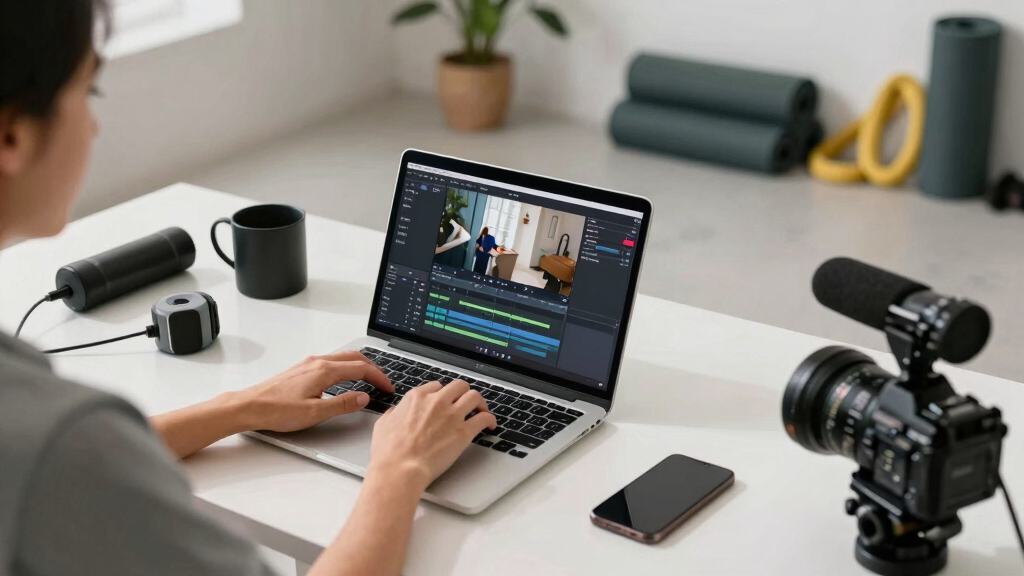
video metadata and asset management tools
As an affiliate, we earn on qualifying purchases.
As an affiliate, we earn on qualifying purchases.
What You Get: The Complete Publishing Package from One Source
The core idea is a single source, multiple outputs—called a Publishing Package. This includes titles scored against character limits, full descriptions with chapters, hashtags, thumbnails based on hook moments, and a clean transcript. It also generates short clips optimized for TikTok, Shorts, or Instagram Reels.
Why does this matter? Because managing multiple assets for different platforms often leads to inconsistent messaging and increased workload. To learn more about multi-platform content management, visit getironfit.com. Automating this process ensures that your branding, tone, and key messages stay aligned across channels, reducing the risk of miscommunication. Additionally, by generating all assets from one analysis, you reduce manual effort and potential errors, freeing up your creative energy for content quality rather than repetitive formatting. The tradeoff here is that the initial setup and configuration require some effort, but once established, the system provides a consistent, reliable output that scales effortlessly across platforms.

privacy-focused video publishing software
As an affiliate, we earn on qualifying purchases.
As an affiliate, we earn on qualifying purchases.
Review, Edit, and Approve — Your Control Panel for Content
The review interface is a game-changer. It offers three views: Console for quick approvals, Editor for deep dives into assets, and Atlas for an overview of progress across platforms. Each asset shows its provenance—prompt version, model used, and input details—so you always know where everything came from.
This layered transparency is vital because it allows you to trace back every asset to its origin, ensuring accountability and quality control. If you notice a thumbnail or clip that doesn’t meet your standards, you can directly tweak the prompt, regenerate the asset, or approve it. This process reduces the risk of publishing unintended content and builds trust because you always understand how each asset was created. The tradeoff is that maintaining this level of transparency requires a well-designed interface and some familiarity with the underlying processes, but the payoff is a higher degree of control and confidence in your content pipeline.

Privacy + Control: Why Local Is Better Than Cloud
Processing videos locally means all your data stays on your machine. No uploading to third-party servers, no monthly cloud fees, and no privacy compromises. For example, a security team analyzing CCTV footage can keep sensitive video entirely on-site, avoiding leaks or data breaches.
This setup also means you retain full ownership of your data, which is increasingly important as privacy concerns grow and regulations tighten. For more on data privacy, see caregiver-information.com. Cloud processing often involves data transfer over the internet, increasing vulnerability to breaches or unauthorized access. By choosing local processing, you eliminate these risks and ensure your content remains under your control at all times. The tradeoff is that local processing requires adequate hardware and maintenance, but it offers peace of mind and compliance advantages that are hard to match with cloud services.

The Power of a Single System for All Platforms
One system produces assets for *every platform*. Want a YouTube title, TikTok clip, Instagram post, and newsletter snippet? All from one analysis. This saves hours of manual editing and reformatting.
Beyond saving time, this approach ensures consistency across your branding and messaging. Learn more about branding strategies at lawofattractionresourceguide.com. When each asset originates from the same analysis, it aligns perfectly in tone, style, and core message—reducing the risk of mixed signals or branding drift. This unified workflow also simplifies your content management, making it easier to update or repurpose assets as needed. The tradeoff is that the system must be flexible enough to handle different formats and platform specifications, which can require initial setup effort but ultimately results in a more cohesive and efficient publishing process.

The Hidden Costs of Cloud-Based Publishing and How to Avoid Them
Cloud services often charge monthly fees, per-upload costs, or require subscriptions—adding up quickly. Plus, your content is stored on external servers, raising privacy concerns. In contrast, local systems like ChannelHelm eliminate ongoing costs and keep everything in-house.
These hidden costs can significantly impact small teams or individual creators, especially as their content volume grows. Over time, cloud fees and storage expenses can surpass the initial hardware investment for local systems. Moreover, relying on cloud storage increases exposure to data breaches or accidental leaks, which can have serious repercussions. Choosing local processing shifts the financial burden upfront but offers long-term savings and greater security, giving you control over your data and costs. The tradeoff is investing in quality hardware and ongoing maintenance, but this investment pays off in privacy, cost predictability, and resilience against service outages.

What Hardware Do You Need? Compatibility and Setup Tips
Most local, AI-powered video systems support common cameras and standard hardware. For instance, many work with high-quality surveillance cameras or webcams connected via HDMI or USB. The key is ensuring your system can handle the processing power needed—typically a decent multi-core CPU and a GPU for AI tasks.
Setup is straightforward: install the software, connect your cameras or upload videos, and configure your analysis parameters. For detailed hardware specs and setup guides, visit the official site.
However, it’s important to consider future scalability. As your processing needs grow, you might need to upgrade components or expand storage. Investing in quality hardware from the start can save you headaches later and ensure your system remains efficient and reliable for years to come.
Frequently Asked Questions
What does “without the cloud” actually mean?
It means all processing, analysis, and asset generation happen on your local machine or local network, not on remote servers. Your videos and data stay private, and you avoid ongoing cloud subscription fees.
Can this system handle multiple videos at once?
Yes, depending on your hardware. Most local systems can process several videos sequentially or in parallel if they have enough CPU and GPU power. Check the system requirements for optimal performance.
Is it difficult to set up a local publishing workflow?
Not really. Many tools are designed to be user-friendly, with step-by-step guides. Once set up, they automate most tasks, making the workflow faster and more reliable.
What platforms can I publish to without cloud dependency?
Any platform you can upload to manually—like YouTube, Vimeo, or social media sites—can be supported through direct publishing tools integrated into your local system.
How does local processing compare in accuracy to cloud-based AI?
While cloud AI often has access to larger datasets and faster updates, local AI can be just as accurate for many tasks, especially with powerful hardware and well-tuned models. It also offers unmatched privacy and control.
Conclusion
Turning one video into a full publishing kit without the cloud isn’t just a dream—it’s a practical reality. You gain speed, control, and privacy while automating what used to be manual drudgery. It’s like having a mini media factory right on your desk.
Ready to take your content workflow into your own hands? Start exploring local tools, experiment with automation, and watch your productivity soar. Your content, your rules, no cloud required.

Halloween Picks
halloween
As an affiliate, we earn on qualifying purchases.