

TL;DR
Building your own AI workstation used to save money, but rising component costs and shortages have made prebuilt systems more competitive. Your choice depends on your need for control, speed, and support, not just price.
Imagine spending days sourcing components, building, and troubleshooting your AI workstation—only to find out that a prebuilt might cost the same or less, with less hassle. That’s the landscape in 2026. The old rule — ‘build cheaper, buy faster’ — no longer applies across the board.
Now, it’s a game of tradeoffs: do you want full control, or do you prefer the convenience of a tested, supported system? This guide breaks down everything you need to know about building versus buying an AI workstation today, from costs and performance to support and future upgrades.
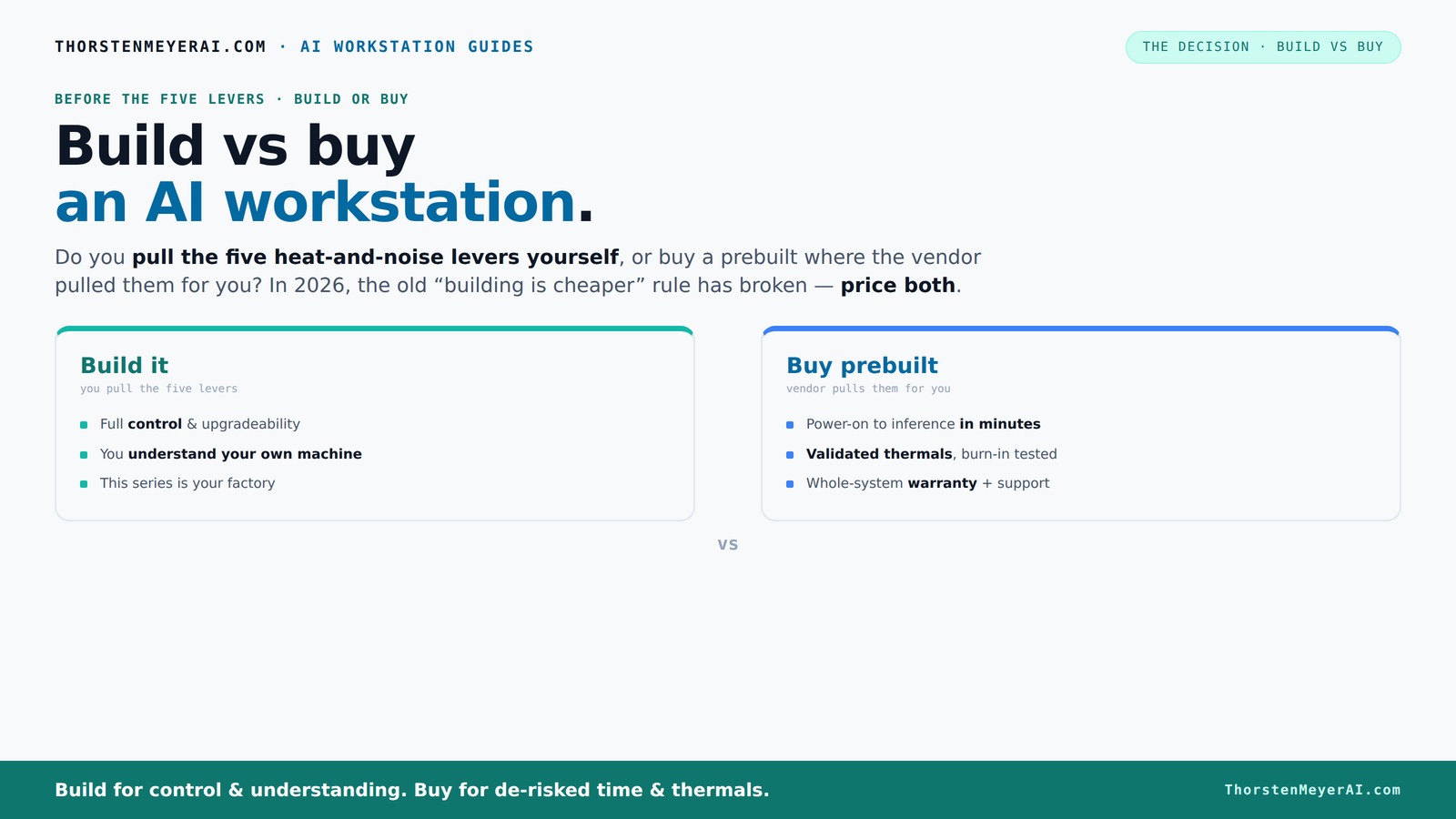
Build vs buy
an AI workstation.
The real question behind this whole series: do you pull the five heat-and-noise levers yourself, or buy a prebuilt where the vendor pulled them for you? And in 2026, the old “building is cheaper” rule has broken. Match your situation in Part 3.
Key Takeaways
- Component shortages in 2026 have closed the price gap between DIY builds and prebuilt systems, making cost less predictable.
- Prebuilts save time and reduce operational risk with validated thermals, warranties, and factory testing.
- DIY offers maximum customization and upgradeability but requires technical skill and time investment.
- Support and warranty are often overlooked but crucial for professional environments—prebuilts excel here.
- Your choice should hinge on speed, support needs, control preferences, and future upgrade plans, not just initial price.
high-performance AI workstation prebuilt
As an affiliate, we earn on qualifying purchases.
As an affiliate, we earn on qualifying purchases.
Why Cost Isn’t Just the Price Tag Anymore
Building your own AI workstation used to be cheaper because you could pick the exact parts and avoid markup. Today, shortages and inflation have shifted that balance. For example, a DIY build that used to cost $1,000 now often hits $1,250+ because GPUs, DDR5 RAM, and SSDs have shot up in price.
Prebuilt systems, on the other hand, often buy in bulk, locking in lower prices before the shortages hit. Some vendors are now offering systems at prices comparable to, or even lower than, assembling your own. The real cost comparison is no longer just parts—you must factor in shipping, assembly, support, and downtime.
customizable GPU workstation components
As an affiliate, we earn on qualifying purchases.
As an affiliate, we earn on qualifying purchases.
Speed and Ease: Why Prebuilts Win for Urgent Projects
If you need to start training models tomorrow, prebuilt is the clear winner. These systems arrive with everything installed—OS, CUDA, TensorFlow, PyTorch—ready to go. No fiddling with BIOS settings, driver conflicts, or assembly.
Imagine a researcher who needs to run a large language model inference. With a prebuilt, they power it on, and within minutes, they’re working. Building from scratch could take days, even weeks, especially when troubleshooting compatibility issues.
professional AI workstation build kit
As an affiliate, we earn on qualifying purchases.
As an affiliate, we earn on qualifying purchases.
The Heat and Noise Puzzle: Who Really Tames It?
Managing heat and noise in a high-power AI workstation is like balancing a delicate dance. It involves five levers: undervolting the GPU, matching the cooler, optimizing airflow, tuning fans, and proper placement.
Prebuilts from vendors like Lambda or BIZON often tune these levers at the factory. They run 24–48 hours of burn-in testing, tune fan curves, and sometimes incorporate water cooling—delivering quieter, cooler operation out of the box. DIY builders, however, can fine-tune their system for minimal noise or maximum performance, but it takes skill and time.
prebuilt AI workstation with support
As an affiliate, we earn on qualifying purchases.
As an affiliate, we earn on qualifying purchases.
Comparison Table: Build vs Buy — Which Fits Your Needs?
| Factor | Build Your Own | Buy Prebuilt |
|---|---|---|
| Cost | Potentially lower parts cost, but rising prices and time investment offset that | |
| Time to Ready | Days to weeks, depending on sourcing and troubleshooting | |
| Support & Warranty | Limited; depends on individual component warranties | |
| Customization | Maximum—select every part, upgrade at will | |
| Thermal Performance | Depends on your tuning skills | |
| Ease of Setup | Challenging; BIOS, drivers, compatibility issues | |
| Upgradeability | Excellent; open for future upgrades | |
| Speed of Deployment | Slow, requires assembly and testing | |
| Support/Warranty | Variable, DIY support |
When Building Works Better Than Buying
If you’re a hobbyist or a researcher who loves tinkering, building your own machine offers unmatched control. Want a specific VRAM size, a niche cooler, or a custom power supply? DIY lets you optimize for your workload and upgrade later.
Imagine a graduate student who tweaks every setting and upgrades components yearly—saving costs while tailoring performance precisely. Building is also ideal if you want to learn every detail about your hardware or need a highly specialized setup.
When Prebuilts Are the Smarter Choice
If your priority is getting started fast, minimizing risk, or ensuring support, prebuilt systems shine. Vendors validate thermals, run extensive tests, and offer warranties—crucial for professional environments where downtime costs thousands per hour.
For example, a startup deploying multiple AI models needs reliability and support. Prebuilts reduce the chance of compatibility issues or thermal throttling, and if something goes wrong, expert support is just a call away.
Future-proofing: Can You Upgrade or Resell?
Upgrading a prebuilt system can be tricky—some vendors lock down certain components, or the case might limit expansion. Check if the vendor allows easy CPU, GPU, or RAM upgrades before purchasing.
Resale value varies; custom-built machines often fetch higher prices because they’re more flexible. But prebuilt systems with solid warranties and clean builds also hold value, especially if well-maintained.
The Final Call: Which Should You Pick?
In 2026, your choice depends less on saving a few dollars and more on what matters most: speed, support, control, and future flexibility. If you want a system ready to run with minimal fuss, a prebuilt is usually smarter. If you crave control and customization, building might still be your path.
Remember: the best choice fits your workflow, budget, and technical comfort zone. As the AI boom continues, both options have compelling reasons—your job is to pick the one that aligns with your goals.
Frequently Asked Questions
Is it cheaper to build or buy a prebuilt AI workstation?
It depends. In 2026, rising component prices mean prebuilt systems can match or beat DIY costs, especially when factoring in time, support, and thermal management. Always price both options for your specific setup.How much performance do I lose with a prebuilt system compared to DIY?
Prebuilts are often tuned for maximum efficiency and thermal performance, so they usually perform at or near DIY setups. The real difference is in customization—DIY can squeeze out extra performance if you know what you’re doing.When does a local workstation beat cloud GPU rentals on cost?
When workloads are frequent and ongoing, owning a workstation becomes cheaper over time, especially considering power, depreciation, and setup costs. For sporadic tasks, cloud might still be more economical.Can I upgrade a prebuilt AI workstation later?
It varies by vendor and model. Some prebuilt systems allow upgrades to RAM or GPUs easily, but others are more locked down. Always check upgrade paths before buying.What software comes pre-installed on a prebuilt system?
Prebuilts usually come with the OS, drivers, and AI frameworks like CUDA, TensorFlow, and PyTorch installed. However, you’ll still need to configure your specific workflows and datasets.Conclusion
Choosing between build and buy in 2026 isn’t just about saving money anymore—it's about aligning your workflow, risk tolerance, and future plans. The best system is the one that gets you working faster, safer, and with confidence.
In the end, whether you’re a hobbyist fine-tuning every detail or a professional needing rock-solid support, your ideal AI workstation is out there—waiting to match your needs perfectly.